
Learn Kotlin for Android: Android App Development Bootcamp

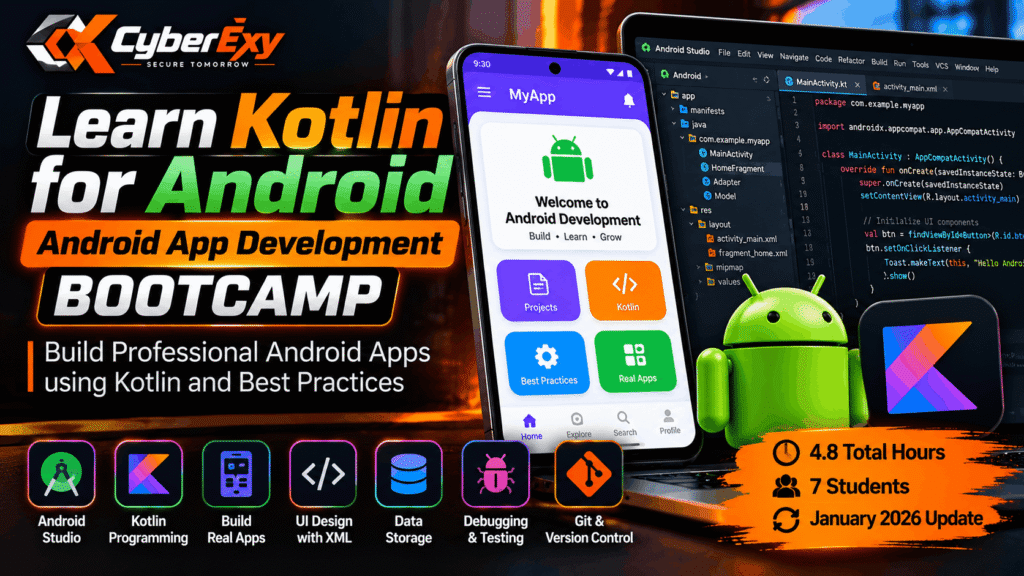
Learn Kotlin for Android: Android App Development Bootcamp for Beginners
Are you interested in building Android applications but unsure where to start? Learning Kotlin for Android development is an excellent way to begin your journey into mobile app programming. The Learn Kotlin for Android: Android App Development Bootcamp is a beginner-friendly course designed to introduce essential programming concepts, Android development tools, and practical application-building skills.
With a total duration of approximately 4.8 hours, this bootcamp provides a focused introduction to Kotlin programming and Android app development. Whether you are a student, aspiring mobile developer, or technology enthusiast, the course offers a starting point for understanding how Android applications are designed, developed, tested, and maintained.
What Is the Learn Kotlin for Android Bootcamp?
The Learn Kotlin for Android course focuses on the fundamentals of developing Android applications using Kotlin, a modern programming language widely associated with Android development.
The course takes learners through the basic development workflow, from preparing the development environment to understanding application components and implementing essential features. It also introduces good development practices that can help beginners write more organised and maintainable code.
According to the supplied course description, the content was updated in January 2026 and is intended for learners with little or no previous programming experience.
Course overview:
- Duration: Approximately 4.8 hours
- Skill level: Beginner
- Programming language: Kotlin
- Development environment: Android Studio
- Main focus: Android application development
- Learning tracks: English, Development, Programming Languages
What Will You Learn in This Android Development Course?
1. Kotlin Programming Fundamentals
The course introduces the programming concepts needed to start developing Android applications. These include variables, data types, operators, conditional statements, loops, functions, classes, and objects.
Learners are also introduced to Kotlin’s null-safety features, which help developers handle potentially missing values more safely.
Understanding these fundamentals provides a foundation for writing application logic, processing user input, and building more structured programs.
2. Getting Started with Android Studio
Android Studio is the integrated development environment used for Android application development. The course introduces its interface and essential development features.
Learners can develop familiarity with creating projects, managing SDK versions, using code-completion features, and working with emulators or connected Android devices.
The course description also covers debugging tools that help developers identify and investigate programming errors.
3. Android App Components
Android applications use different components to manage screens, interactions, and communication between application features.
The bootcamp introduces Activities, Fragments, and Intents. These concepts help beginners understand how applications display content, manage user interactions, and navigate between different components.
Learning these fundamentals is useful when building applications with multiple screens or organising functionality into reusable components.
4. User Interface Design with XML
A well-designed interface helps users interact with an application more easily. The course introduces XML-based layouts and common Android interface elements.
Topics include TextView, Button, EditText, ImageView, and layout containers such as LinearLayout and RelativeLayout.
Learners also encounter basic material design principles and responsive layout concepts. These skills provide a foundation for creating interfaces that are understandable, practical, and suitable for different screen sizes.
5. Data Storage and Persistence
Many Android applications need to remember user preferences or store information between sessions.
The course introduces SharedPreferences and basic internal storage concepts. These techniques help developers understand how applications can save and retrieve simple settings and application-specific data.
More advanced storage requirements may require additional learning beyond this introductory bootcamp.
6. Debugging, Testing, and Git
Debugging is an essential part of software development. The course introduces Android Studio debugging features, breakpoints, variable inspection, and Logcat output.
It also covers basic testing concepts and introduces Git version control, including committing changes, branching, and merging.
Together, these skills help learners understand how to identify errors, check application behaviour, and manage changes during development.
Requirements and Prerequisites
One advantage of this bootcamp is that it is designed for beginners and does not require previous coding experience.
Before starting, learners should have:
- Basic computer skills and familiarity with managing files.
- A stable internet connection for downloading development tools and learning materials.
- A compatible computer capable of running Android Studio.
- Sufficient disk space for the development environment and Android SDK.
- A willingness to practise programming concepts and build applications.
The course description recommends at least 8 GB of RAM, with 16 GB preferred for a smoother development experience. Actual performance depends on the computer, emulator configuration, and other applications running simultaneously.
Benefits of Learning Kotlin for Android Development
Build Practical Programming Skills
Learning Kotlin introduces you to programming concepts that can be applied when developing mobile applications. Practising these concepts helps strengthen logical thinking and problem-solving abilities.
Understand the Android Development Workflow
Working with Android Studio, application components, layouts, and debugging tools helps you understand the stages involved in creating an Android application.
Develop Portfolio Projects
You can use the concepts learned in the course as a foundation for personal projects, such as a simple calculator, a notes application, or a basic settings interface. These projects can demonstrate your progress when building a development portfolio.
Prepare for Further Learning
This bootcamp provides an introduction rather than comprehensive professional training. After completing it, learners can continue exploring modern Android architecture, Jetpack Compose, databases, APIs, automated testing, and application deployment.
Pros and Cons of the Course
Pros
- Beginner-friendly introduction to Kotlin and Android development.
- Short, focused learning duration.
- Coverage of Android Studio and core application components.
- Introduction to debugging, testing, and version control.
- Emphasis on maintainable code and development best practices.
Cons
- The 4.8-hour duration limits the depth of advanced topics.
- Learners will need additional practice to build more complex applications.
- Advanced architecture, networking, databases, and deployment may require separate study.
Is This Android App Development Bootcamp Worth Taking?
This course may be a suitable starting point for students, beginners, and aspiring mobile developers who want to understand Kotlin and the fundamentals of Android development.
Its short duration makes it useful for introductory learning, but becoming proficient requires hands-on practice beyond watching lessons. Building small applications, testing them on devices, and learning from debugging errors will help reinforce the material.
Learners who already have programming experience may prefer to use the course as a refresher before exploring more advanced Android development topics.
How to Enrol in the Kotlin Android Development Course
You can review the course curriculum, requirements, and available enrolment options on Udemy using the link below.

Check the current course price and coupon validity on the enrolment page before registering.
Conclusion
The Learn Kotlin for Android: Android App Development Bootcamp introduces the essential concepts behind Kotlin programming and Android application development. From Android Studio and user interface design to debugging, storage, and Git, the course covers useful foundations for beginning your mobile development journey.
Although a short bootcamp cannot replace extensive practical experience, it can help learners understand the development process and decide which Android technologies to explore next.
Visit CyberExy for more learning resources, technology guides, and educational content covering programming, cybersecurity, cloud computing, and other in-demand technical fields.
