
OpenAI Codex Exposes USB Encryption Security Flaws

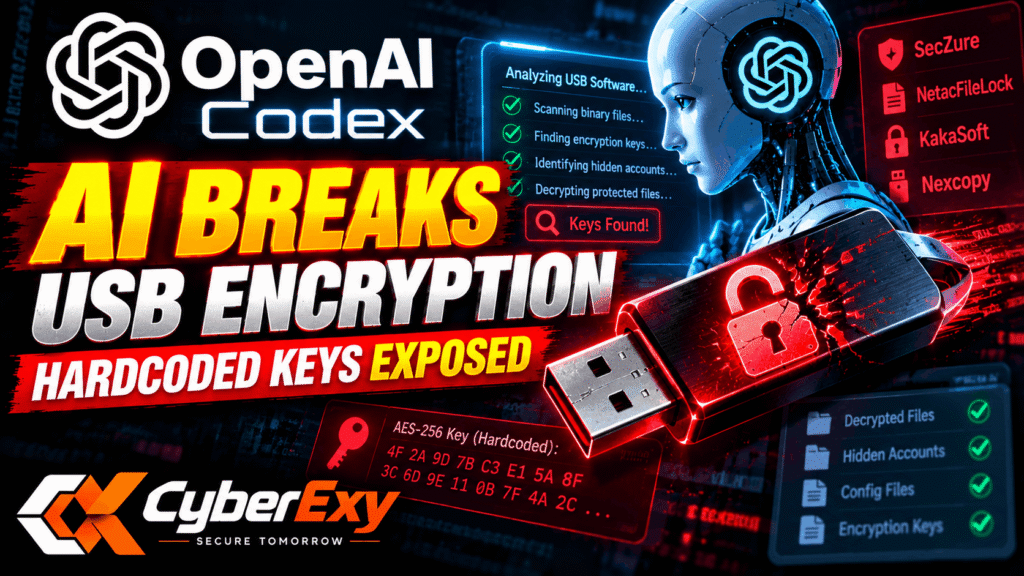
AI Finds Hardcoded Encryption Keys in USB Security Software
OpenAI Codex has helped security researcher Xusheng Li identify serious weaknesses in four USB protection products: SecZure YutianDun, NetacFileLock, KakaSoft USB Copy Protection and Nexcopy Copy Secure.
The research, published on October 22, 2026, on the Binary Ninja blog, demonstrates how AI-assisted reverse engineering can accelerate security investigations. In one test, Codex identified a hardcoded encryption key in approximately seven minutes.
The findings do not mean that modern encryption algorithms have been broken. Instead, they show how poor key management, embedded secrets and flawed authentication can undermine otherwise established cryptographic techniques.
Four USB Protection Products Examined
Li examined how the products encrypted files, handled passwords and stored the keys required to decrypt protected content.
1. SecZure YutianDun
The researcher discovered two hidden accounts with fixed passwords that could unlock the same content identifier used to derive the file encryption key.
According to the report, the accounts named Buffer and System used built-in credentials. On two tested drives, these credentials provided a way to decrypt protected files without the administrator’s password.
The implementation also relied on MD5-based key generation and limited the effective randomness of its AES keys. However, the hidden accounts represented the more direct route around the owner’s password.
Li described the design as a technical backdoor but did not claim that the manufacturer had deliberately created it for malicious purposes.
2. NetacFileLock
NetacFileLock provided another example of weak encryption implementation.
Codex identified a fixed 32-byte AES-256 key embedded directly in the executable. Although the software checked the user’s password, that password did not determine the encryption key.
This separation meant that password verification did not provide the expected protection for encrypted files.
The analysis also identified additional weaknesses, including:
- Passwords written to diagnostic logs.
- MD5 used for password verification.
- An unkeyed MD5 digest used as a file signature.
- Independent block encryption with ECB-like characteristics.
- Another fixed key in the software’s SM4 implementation.
The central issue was not the strength of AES-256 itself. It was that the encryption key was embedded in software that users could inspect.
3. KakaSoft USB Copy Protection
KakaSoft USB Copy Protection version 5.6.0.299 also failed to provide the expected protection at its highest security setting.
Li used AI-assisted analysis to trace the software’s custom hashing and key-generation logic. The research found that the Blowfish encryption key depended on an internal secret derived from an embedded seed rather than the user’s chosen password.
The researcher reported recovering a protected test file without knowing its password.
The analysis took approximately 26 minutes after the protected drive was supplied, following earlier work examining the software’s installer and cryptographic implementation.
This case illustrates why a product’s advertised encryption strength is not enough to establish security. Even when a recognised cipher is used, a predictable or recoverable key can undermine the entire system.
4. Nexcopy Copy Secure
Nexcopy Copy Secure used Triple DES in CBC mode to encrypt protected content. However, Li found that the viewer application contained a fixed secret used to decrypt a configuration file.
That configuration included the content encryption key and initialization vector required to decrypt protected files.
The password check operated separately: it controlled access through the viewer but did not protect the underlying content key.
According to the report, AI-assisted analysis identified this weakness in approximately ten minutes.
The case demonstrates the limitations of relying on a viewing application to enforce copy protection when the application itself contains the information needed to decrypt the content.
How OpenAI Codex Accelerated the Research
Traditional reverse engineering can require substantial time to understand unfamiliar binaries, trace cryptographic operations and identify how encryption keys are generated or stored.
In this investigation, Li combined OpenAI Codex with Binary Ninja’s Model Context Protocol (MCP) server to assist with software analysis.
The workflow helped identify relevant code paths, examine key-generation logic and trace how passwords related to the actual encryption process.
The reported results included:
- Identifying NetacFileLock’s embedded AES-256 key in seven minutes.
- Finding alternative credentials in YutianDun.
- Tracing KakaSoft’s custom key-generation logic.
- Discovering how Nexcopy separated password checks from file decryption.
These results suggest that AI tools can reduce the time required for certain reverse-engineering tasks. They do not establish that every AI-assisted investigation will produce the same results or that AI can replace expert validation.
Why Hardcoded Encryption Keys Are Dangerous
Hardcoded keys create a significant security risk when software must contain the secret needed to decrypt protected data.
An application running on a user’s computer may be inspected through reverse engineering. If its encryption key is embedded in the executable, an attacker who obtains the software may be able to recover that key.
A password prompt does not solve this problem if the application checks the password separately while relying on a fixed key for decryption.
Secure systems should instead use appropriate key-management mechanisms, derive keys from user credentials where suitable, and protect sensitive secrets from unnecessary exposure. Password-based key derivation should use established, deliberately expensive methods rather than fast general-purpose hashes alone.
Developers should also avoid recording passwords in diagnostic logs and should review whether their integrity checks genuinely protect files against unauthorised modification.
What Users and Businesses Should Do
Organisations that rely on encrypted USB devices to protect confidential files should not assume that password prompts or copy-protection features guarantee strong security.
Recommended steps include:
- Review product security documentation. Look for credible technical information about encryption, key management and independent security testing.
- Check vendor advisories. Contact the manufacturer for clarification about affected product versions and available fixes.
- Protect sensitive files before transfer. Use reputable encryption solutions with well-designed key management rather than relying solely on viewing restrictions.
- Avoid storing secrets in software. Developers should prevent hardcoded encryption keys and credentials from being exposed in distributed binaries.
- Audit diagnostic logs. Ensure passwords, encryption keys and other sensitive values are not recorded.
- Validate security claims. Independent assessments can help determine whether passwords actually protect the data encryption keys.
For businesses handling confidential information, security decisions should be based on verifiable implementation details rather than marketing claims alone.
Conclusion
OpenAI Codex helped Xusheng Li identify significant weaknesses in four USB protection products, including hardcoded encryption keys, hidden accounts and password checks that did not protect the underlying encryption keys.
The findings highlight a broader lesson for cybersecurity: strong encryption algorithms cannot compensate for poor implementation and key management.
AI-assisted reverse engineering is becoming a useful tool for security researchers, potentially helping them identify flaws more quickly. For software developers and businesses, the priority remains ensuring that encryption keys are protected, passwords serve a meaningful security purpose and sensitive data remains secure even when applications are examined.
Source: Binary Ninja – Discovering a Backdoor and Flaws in More Encrypted USB Drives
CyberExy — Secure Tomorrow.