Windows 11 black screen update issue

Microsoft Fixes Windows 11 Update Bug Causing Black Screens and Windows Explorer Crashes
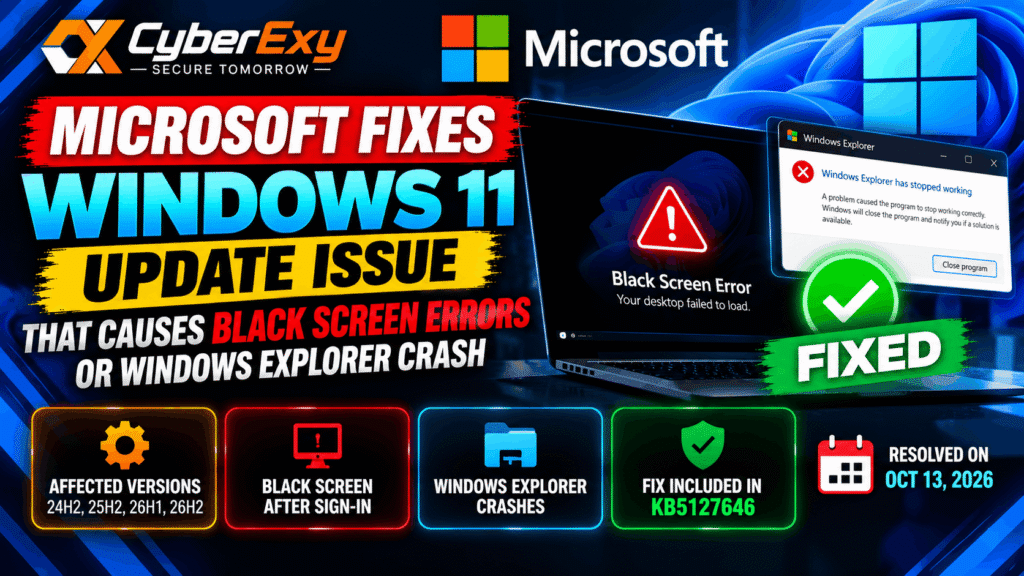
Microsoft has resolved a Windows 11 update issue that could prevent users from accessing their desktop after signing in or cause Windows Explorer to crash. The problem primarily affected Azure Virtual Desktop environments using FSLogix, where certain existing user profiles were more likely to experience desktop-loading failures.
Microsoft marked the issue as resolved on October 13, 2026, and recommends installing the latest available Windows update to address the problem.
What Caused the Windows 11 Black Screen Issue?
According to Microsoft’s Windows release health notice, the issue began following the August 2026 non-security preview update, KB5120996, for Windows 11 version 26H1.
Affected users could sign in successfully but encounter a black screen instead of their normal desktop session. In some cases, Windows Explorer also crashed, preventing users from accessing familiar desktop features.
The issue was particularly relevant to Azure Virtual Desktop hosts using FSLogix, a technology that helps manage user profiles in virtual desktop environments. Microsoft reported that some existing profiles were more susceptible to the problem.
The symptoms were consistent with a desktop-session loading failure. Microsoft did not identify malware or a cyberattack as the cause.
Which Windows 11 Versions Were Affected?
Microsoft listed the following Windows 11 client versions as potentially affected:
- Windows 11 version 26H1
- Windows 11 version 26H2
- Windows 11 version 25H2
- Windows 11 version 24H2
The issue did not affect Windows Server, according to the supplied report. Not every device running an affected Windows version necessarily experienced the problem.
Administrators should therefore check the installed Windows version, update history and reported symptoms before applying troubleshooting measures.
Microsoft Releases a Permanent Fix
Microsoft marked the issue as resolved on October 13, 2026. The supplied notice identifies KB5127646 as the security update for Windows 11 version 26H1, bringing that release to OS Build 28000.3231.
Users should install the update appropriate for their Windows version rather than assuming that the same update package applies to every affected release.
Once the appropriate fix is installed, affected devices no longer need the temporary workarounds associated with this issue.
For update details, consult Microsoft’s official Windows 11 release health notice.
Temporary Workaround for Users Still Experiencing a Black Screen
If a device has not yet received the appropriate fix and the desktop fails to load, the supplied report describes a temporary recovery method.
- Press Ctrl + Shift + Esc to open Task Manager.
- Select Run new task.
- Enter
explorer.exe. - Select OK to start Windows Explorer.
This may restore desktop access temporarily, but it does not replace installing the permanent update.
If the issue continues after updating, administrators should investigate profile loading, application event logs and other relevant system errors.
Guidance for Enterprise IT Administrators
Organisations using Azure Virtual Desktop and FSLogix should verify update deployment across affected endpoints and virtual desktop hosts.
Administrators should also review application event logs for Windows Explorer crashes and check whether affected users share common profile or session characteristics.
Before making configuration changes, confirm the Windows version and the update level on each affected device. Test changes in a controlled environment when managing large virtual desktop deployments.
Microsoft also provided a Known Issue Rollback (KIR) option through Group Policy as a temporary mitigation. The supplied report identifies policies KB5124006 260924_20071 for Windows 11 26H1 and KB5124010 260924_20021 for versions 26H2, 25H2 and 24H2.
Administrators should consult the official documentation to confirm the correct policy, deployment requirements and restart procedures for their environment.
Why Windows Updates Matter
This incident highlights the importance of maintaining an effective Windows update and troubleshooting process. Updates can introduce compatibility problems even when they are not security fixes, potentially affecting productivity and access to business applications.
Organisations can reduce disruption by testing updates, monitoring system logs, maintaining recovery procedures and communicating known issues to users.
A temporary workaround may restore access, but a vendor-provided fix remains the preferred long-term resolution.
Conclusion
Microsoft has resolved the reported Windows 11 issue that could cause black screens after sign-in and Windows Explorer crashes, particularly in Azure Virtual Desktop environments using FSLogix.
Users and IT administrators should install the appropriate update, verify that affected systems operate normally and discontinue temporary workarounds once the fix is applied.
Keeping systems updated and monitoring desktop-session errors can help organisations maintain reliable Windows environments.
CyberExy — Secure Tomorrow.