Hackers Used Compromised ConnectWise Backup Credentials

ConnectWise Backup Breach: Hackers Accessed 173 Microsoft 365 Tenants
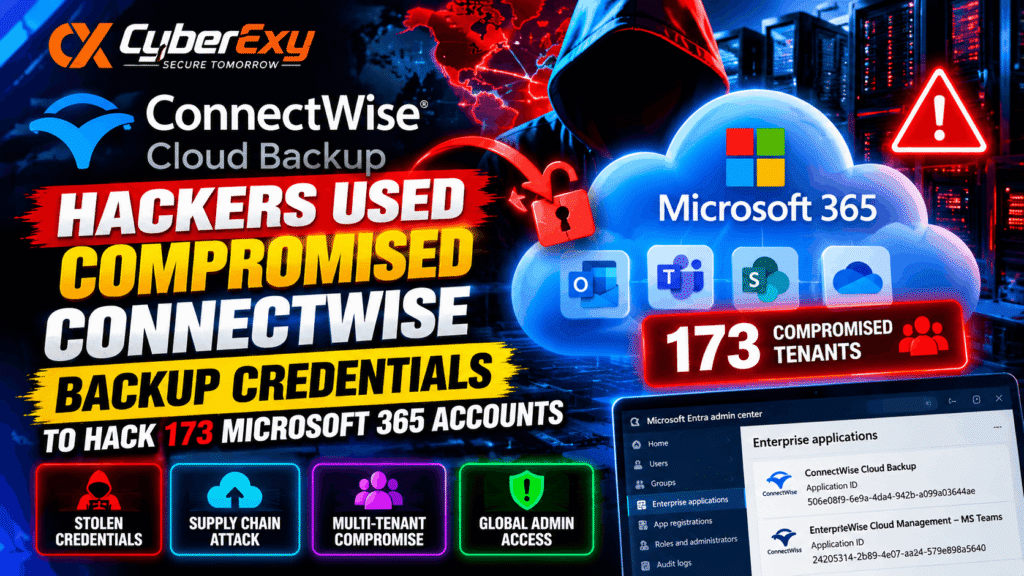
A compromised vendor credential has exposed a significant security risk for organisations using ConnectWise Cloud Backup. According to reporting from Microsoft Threat Intelligence and Huntress, attackers abused a trusted backup application’s credentials to access 173 Microsoft 365 partner and customer tenants.
The incident demonstrates how a single compromised application secret can create a supply-chain security problem across multiple organisations. Instead of signing in with individual users’ passwords, the attackers reportedly authenticated through an existing application identity with permissions already granted by customers.
ConnectWise Cloud Backup, formerly known as SkyKick Backup, helps managed service providers (MSPs) protect Microsoft 365 and Google Workspace data. Depending on the permissions granted, connected applications can access sensitive organisational resources, including mailbox, file, collaboration and directory information.
For businesses and managed service providers, this incident highlights the importance of monitoring application identities, protecting OAuth credentials and investigating suspicious service principal activity.
How the ConnectWise Cloud Backup Attack Worked
According to the supplied incident report, attackers obtained a vendor API secret associated with ConnectWise Cloud Backup and used it to authenticate against Microsoft 365 customer and partner environments.
The application was already trusted by the affected tenants. Consequently, the attackers could request access tokens using the application’s identity and the permissions previously approved for it.
This differs from a conventional account compromise. A user-based attack might involve a stolen password or session cookie, while an application-based attack can use a compromised client secret to authenticate as a service principal.
The distinction matters because resetting a user’s password does not necessarily invalidate a compromised application’s credentials or remove its existing permissions.
The reported activity involved the ConnectWise Cloud Backup application ID:
506e08f9-6e9a-4da4-942b-a099a03644ae
The source states that suspicious authentication occurred on October 15, 2026, from the IP address 144.172.64[.]128, with Microsoft Graph access tokens issued between 06:13 and 08:34 UTC.
The reported sequence of tenant identifiers and the short intervals between authentication events were consistent with automated activity. Security teams should nevertheless correlate these indicators with their own logs before concluding that a particular event represents malicious access.
Why Application-Based Authentication Is a Security Risk
Microsoft Entra ID uses application identities and service principals to allow software to access resources without requiring an interactive user sign-in for every operation.
This approach is essential for automated services such as backup platforms. However, it also creates risk when a credential belonging to a trusted application is exposed.
An attacker who obtains a valid application secret may be able to authenticate using that application’s identity and access resources within the scope of its granted permissions.
Three factors make this type of incident particularly concerning:
- Existing trust: The application may already have approved permissions in multiple customer tenants.
- Multitenant reach: A vendor application can serve many organisations, potentially increasing the number of affected environments.
- Persistent credentials: Secrets or certificates added to other applications may remain usable even after the original compromised application is disabled.
Organisations should therefore treat application secrets, certificates and service principal permissions as critical security assets.
Attackers Reportedly Obtained Global Administrator Access
The supplied report describes additional activity in one Huntress partner tenant involving an application named ConnectWise Cloud Management – MS Teams.
Its application ID was reported as:
24205314-2b89-4e07-a2a4-579e898a5640
According to Huntress, the application assigned itself the Global Administrator role and used a Python script to add new client secrets to two other trusted applications. The reported secrets were configured to expire in 2028.
This activity is particularly significant because it suggests an attempt to establish additional routes for continued access.
Disabling the original ConnectWise application does not automatically remove credentials added to other application registrations. Administrators must investigate application changes and directory-role assignments to identify and remove unauthorised persistence.
Organisations should also review whether affected applications have permissions or Conditional Access exclusions that could increase the impact of a compromise.
How to Detect Suspicious Microsoft 365 Application Activity
Security teams should investigate the incident through Microsoft Entra sign-in records, service principal activity and directory audit logs.
The standard user sign-in view may not show all relevant application-based authentication events. Administrators should examine the Service principal sign-ins view in the Microsoft Entra admin center.
Useful investigation steps include:
- Search for the reported ConnectWise Cloud Backup application ID.
- Review sign-ins associated with
144.172.64[.]128. - Examine unusual application authentication patterns across multiple tenants.
- Investigate unexpected application credential additions.
- Review Global Administrator role assignments and changes to enterprise applications.
- Correlate suspicious events with Microsoft Graph activity, network records and other available telemetry.
The report also identifies Python-related user agents, including Python-urllib/3.12 and python-requests/2.31. These are supporting indicators rather than proof of malicious activity, since Python-based tools are also used for legitimate administration.
Likewise, the source mentions activity from a private IPv6 range. Because private cloud addresses may be shared by legitimate services, such an address should not be treated as conclusive evidence without additional context.
Indicators of Compromise to Review
The following indicators were reported in the supplied source. They should be used as investigation leads and validated against local telemetry.
| Indicator | Reported value | Investigation purpose |
|---|---|---|
| Application | ConnectWise Cloud Backup | Identify activity associated with the affected backup application |
| Application ID | 506e08f9-6e9a-4da4-942b-a099a03644ae |
Search application sign-ins and permissions |
| Source IP | 144.172.64[.]128 |
Correlate suspicious authentication events |
| User agent | Python-urllib/3.12 |
Support investigation of relevant requests |
| User agent | python-requests/2.31 |
Correlate activity with application authentication |
| User agent | python-requests/2.34.2 |
Review alongside other indicators |
| Secondary application | ConnectWise Cloud Management – MS Teams | Investigate reported role changes and credential additions |
| Secondary application ID | 24205314-2b89-4e07-a2a4-579e898a5640 |
Review sign-ins, credentials and directory permissions |
Indicators should be assessed together. A matching IP address or user agent alone does not establish that an account or tenant has been compromised.
Immediate Security Actions for Affected Organisations
Organisations using ConnectWise Cloud Backup should follow current guidance from ConnectWise, Microsoft and their incident-response providers.
1. Disable affected applications when advised
The supplied report recommends disabling, rather than immediately deleting, the affected ConnectWise service principals. Disabling can stop the application’s access while preserving information needed for investigation and potential service recovery.
Administrators should coordinate this step with ConnectWise and their backup operations teams because it may interrupt automated backup services.
2. Investigate application registrations
Review enterprise applications and app registrations for unfamiliar client secrets, certificates, permissions or directory-role assignments.
Pay particular attention to changes made from October 13, 2026, onward, as identified in the supplied report. Expand the review if logs indicate earlier suspicious activity.
3. Remove unauthorised persistence
If unauthorised credentials or role assignments are identified, preserve the relevant evidence and remove them according to the incident-response plan.
Reviewing only the original ConnectWise application is insufficient if the attacker created credentials in other applications.
4. Review access to Microsoft 365 resources
Investigate available audit records for suspicious access to Exchange Online, OneDrive, SharePoint, Teams and directory data.
The absence of a clear file-download event does not prove that no sensitive information was accessed. Some directory operations may provide limited audit visibility, depending on the activity and available logging.
5. Rotate exposed secrets and restore trust
Work with the vendor to confirm that compromised credentials have been revoked or replaced. Review the permissions of affected applications and grant only the access required for their legitimate functions.
If evidence suggests that customer data or credentials were exposed, follow the organisation’s incident-response, notification and recovery requirements.
6. Confirm backup integrity
Disabling an application may interrupt backup operations, but it does not automatically delete existing backup data. Administrators should verify backup integrity, review access to stored recovery data and confirm that backup and restoration workflows are trustworthy before resuming normal operations.
What Managed Service Providers Should Learn
Managed service providers frequently use centralised applications to manage many customer environments. This model improves operational efficiency, but it can also concentrate risk.
MSPs should maintain an inventory of third-party applications, record the permissions granted to each integration and review vendor credentials regularly.
They should also monitor service principal authentication, application consent changes and privileged directory-role assignments. Alerts for unexpected credential additions can help identify attempts to establish persistent access.
Where practical, organisations should apply least-privilege permissions, separate administrative functions and maintain protected audit logs. These measures can reduce the chance that one compromised secret will provide broad access across a customer base.
Conclusion
The ConnectWise Cloud Backup incident illustrates how a compromised vendor credential can threaten multiple Microsoft 365 tenants through trusted application access.
The reported compromise affected 173 partner and customer tenants, while additional activity described by Huntress involved privileged role assignment and new application credentials.
Organisations should investigate service principal sign-ins, review application permissions, remove unauthorised credentials and confirm the integrity of their backup environments. Password resets alone may not address application-based persistence.
For MSPs and businesses relying on cloud backup services, strong application identity security and continuous monitoring are essential parts of supply-chain defence.
CyberExy — Secure Tomorrow.