RHCSA RHEL 9 Course by Sander van Vugt: Guide

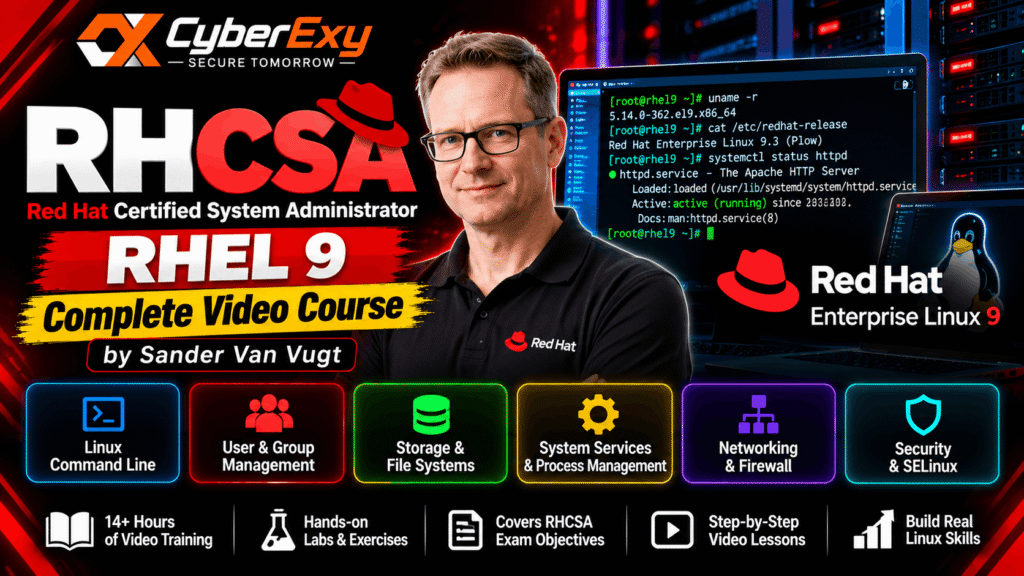
RHCSA RHEL 9 Complete Video Course by Sander van Vugt: A Complete Learning Guide
Linux system administration is an essential skill for IT professionals working in servers, cloud infrastructure, networking and cybersecurity. The Red Hat Certified System Administrator (RHCSA) – RHEL 9 Complete Video Course by Sander van Vugt is a video-based learning resource designed to help learners develop practical Linux administration skills and prepare for the RHCSA certification.
Whether you are beginning your Linux administration journey or improving your existing technical knowledge, understanding the course topics can help you build a structured learning plan.
What Is the RHCSA Certification?
The Red Hat Certified System Administrator (RHCSA) certification validates practical skills in managing Red Hat Enterprise Linux environments. It focuses on performing real administrative tasks rather than relying exclusively on theoretical knowledge.
Linux administrators use these skills to configure systems, manage accounts, troubleshoot services, control access and maintain reliable server environments. These capabilities are also useful in DevOps, cloud computing, infrastructure management and cybersecurity.
The course focuses on Red Hat Enterprise Linux 9 (RHEL 9), providing a foundation for learners who want to understand Linux administration in a professional environment.
About the RHCSA RHEL 9 Video Course
Sander van Vugt is a Linux trainer and technical author known for educational resources covering Red Hat technologies and Linux administration. His RHCSA RHEL 9 Complete Video Course combines instructional videos with practical learning activities.
The course is intended to help learners understand common administrative tasks and practise the commands and procedures used to manage Linux systems.
Video-based learning can be particularly helpful for beginners because learners can follow demonstrations, pause lessons and repeat technical procedures in their own practice environments.
Key Topics Covered
1. Linux Command-Line Administration
The Linux command line is central to system administration. Learners should become comfortable navigating directories, managing files, inspecting system information and processing text.
Understanding commands such as ls, cd, cp, mv, grep and find helps administrators perform routine tasks efficiently.
2. User and Group Management
Linux systems use accounts, groups and permissions to control access to resources. Administrators need to create users, manage group memberships, configure passwords and assign appropriate permissions.
These skills are important for maintaining secure multi-user systems and following the principle of least privilege.
3. Storage and File-System Management
Storage administration involves understanding partitions, file systems, mount points and logical volumes. Linux administrators must know how to organise storage and ensure that required file systems are accessible.
Practising these operations in a virtual machine can help learners understand how storage configurations work without risking important data.
4. System Services and Process Management
Linux services support essential functions such as networking, logging and application hosting. Administrators use system tools to start, stop, enable and troubleshoot services.
Understanding systemd, process management, system logs and scheduled tasks helps administrators maintain reliable systems and investigate operational problems.
5. Networking and Security
Linux administrators need to understand network configuration, connectivity troubleshooting and firewall management. Security-related administration also includes SSH access, file permissions and SELinux.
SELinux provides mandatory access controls that can restrict what processes are permitted to access, adding a layer of protection beyond conventional file permissions.
Who Should Take This Course?
The course may be useful for:
- Students pursuing Linux or system administration careers.
- IT support technicians expanding their technical skills.
- Junior system administrators working with enterprise Linux.
- Cloud and infrastructure professionals who need Linux knowledge.
- RHCSA candidates looking for structured video-based preparation.
Some familiarity with basic computing concepts and command-line operations can make the learning process easier, although beginners can also use the course as part of a broader Linux learning plan.
How to Prepare Effectively for RHCSA
Watching videos alone is not sufficient preparation for a practical certification exam. Learners should actively reproduce the administrative tasks demonstrated in the lessons.
Start by establishing a suitable RHEL practice environment. Complete each exercise, document useful commands and repeat important tasks without looking at the instructions.
Practise user administration, storage configuration, networking, services and security settings. Learn how to verify that changes have been applied correctly and persist after a reboot.
It is also important to review the official exam objectives before booking an examination. Certification requirements can change, so candidates studying RHEL 9 material should confirm which operating-system version and objectives apply to their intended exam.
Where to Access the Course
Learners should use authorised course providers and legitimate educational platforms to obtain the training material.
You can explore the publisher’s course information through the following resource:
Official course page: Pearson IT Certification – RHCSA RHEL 9 Complete Video Course
For current certification information, visit the official Red Hat RHCSA exam page.

Conclusion
The RHCSA RHEL 9 Complete Video Course by Sander van Vugt can support learners developing practical Linux system administration skills. Its video-based approach offers a structured way to study essential topics, while hands-on exercises help reinforce the knowledge needed for professional administration.
For the best results, combine the course with regular laboratory practice, troubleshooting exercises and a review of the official exam objectives. Consistent practice will help you build confidence in managing Linux systems and prepare for further opportunities in IT infrastructure and cybersecurity.